Category: Technology

  • Local Lead Generation Singapore: How to Turn Website Visits into Sales

    Local Lead Generation Singapore: How to Turn Website Visits into Sales

    In today’s digital world, simply attracting visitors to your website isn’t enough. For businesses in Singapore, turning those website visits into qualified leads and ultimately paying customers is key to sustained growth. In this step-by-step guide, we’ll walk you through local lead generation Singapore tactics designed to help you nurture visitors into loyal customers. From creating optimized lead funnels to leveraging inbound marketing strategies, you’ll learn how to successfully convert local traffic into tangible sales.

    1. Understanding Local Lead Generation for Singapore SMEs

    Before diving into specific tactics, it’s important to understand the concept of local lead generation Singapore. Unlike global lead generation, local lead generation focuses on targeting potential customers within a specific geographic location, ideal for SMEs looking to connect with nearby prospects.

    With the right tools and strategies, you can turn local website visits into highly targeted leads, helping you drive sales and grow your business. For a deeper dive into the importance of local SEO for lead generation, take a look at this guide on building lead generation funnels.

    2. Optimizing Your Website for Local Lead Generation

    The first step in local lead generation Singapore is ensuring your website is optimized to capture leads effectively. This includes having clear CTAs (Call-To-Actions), user-friendly design, and optimized landing pages for lead capture.

    How to Optimize:

    • Localize your content: Use local keywords that resonate with Singaporean users, such as “local lead generation Singapore” or “lead funnels Singapore”.
    • Simplify your forms: Ask only for essential information, such as name and email, to avoid overwhelming visitors.
    • Add clear CTAs: Encourage visitors to take action, such as downloading a guide or requesting a consultation.

    To learn more about how a well-designed website can drive lead generation, check out this article on website design strategies in Singapore.

    3. Building Lead Funnels for Local Leads

    Lead funnels are essential for guiding potential customers through the buyer’s journey. For local lead generation Singapore, the key is to make the process as seamless as possible, from awareness to conversion.

    How to Build a Local Lead Funnel:

    • Top of Funnel (TOFU): Use content marketing like blog posts and guides to attract visitors. For example, create content that addresses common challenges for Singapore businesses.
    • Middle of Funnel (MOFU): Offer free resources or consultations to engage prospects. This could include webinars or eBooks related to your business.
    • Bottom of Funnel (BOFU): Have a strong, compelling offer ready, such as a discount or special promotion, to convert prospects into paying customers.

    For more information on how to optimize lead funnels for conversion, explore this article on lead generation mastery.

    4. Leveraging Local Inbound Marketing for Lead Generation

    Inbound marketing is a powerful strategy to attract, engage, and convert leads, especially for local lead generation Singapore. By creating content that resonates with local audiences, you can build trust and encourage more website visits.

    How to Leverage Inbound Marketing:

    • Create Localized Content: Write blog posts or create resources that specifically target issues faced by your local audience in Singapore.
    • Use Local SEO: Optimize your website with local keywords and ensure your business appears on Google My Business.
    • Social Media Engagement: Share local content, engage with your community, and encourage referrals to increase local leads.

    For more tips on local SEO, read this SEO content writing guide.

    5. Tracking and Analyzing Lead Generation Efforts

    To ensure your local lead generation Singapore strategies are working, you must track and analyze key metrics. This will help you refine your tactics and optimize for better results.

    How to Track Local Leads:

    • Use Google Analytics: Monitor traffic, bounce rates, and goal conversions to see which sources are bringing in the most valuable leads.
    • Set up lead tracking tools: Use CRM tools like HubSpot or Zoho to track leads from website visits to conversions.
    • Review performance regularly: Use data to adjust your approach and improve conversion rates over time.

    For further insights on analyzing digital campaign success, explore this guide on maximizing SEO for local businesses.

    Conclusion

    Local lead generation Singapore is a crucial component of any digital marketing strategy. By optimizing your website, building effective lead funnels, leveraging inbound marketing, and tracking your efforts, you can turn website visitors into qualified leads and paying customers. These strategies, combined with local SEO and content optimization, will help you grow your business and stay competitive in Singapore’s dynamic market.

    Ready to start generating local leads for your business? Contact us today to learn more about our lead generation strategies.

    FAQ

    Q1: How can I generate local leads in Singapore?
    A1: Start by optimizing your website with local keywords, building effective lead funnels, and leveraging inbound marketing strategies to engage your target audience.

    Q2: What are lead funnels, and how do they help with lead generation?
    A2: Lead funnels guide prospects through a series of steps, from awareness to conversion. A well-optimized funnel nurtures leads, helping turn visitors into paying customers.

    Q3: How do I track the success of my local lead generation campaigns?
    A3: Use tools like Google Analytics, CRM software, and lead tracking platforms to monitor the effectiveness of your campaigns and refine your strategies over time.

    Q4: Why is inbound marketing important for local lead generation?
    A4: Inbound marketing helps attract and engage your audience by providing valuable, relevant content. This strategy builds trust and encourages conversions from local visitors.

    Q5: How often should I review my lead generation strategy?
    A5: Regularly review your lead generation strategy, ideally every 3–6 months, to ensure you’re meeting your goals and optimizing based on performance data.

  • Planning a Website Redesign? Your Singapore Business Checklist

    Planning a Website Redesign? Your Singapore Business Checklist

    Introduction: Why Strategy Matters More Than Design

    A website redesign Singapore project can strengthen your brand, improve SEO, and boost conversions, but only when guided by a strategic checklist. Many redesigns focus on aesthetics while ignoring performance, content structure, and user flow. This leads to attractive websites that still underperform.

    This checklist ensures your redesign is built for growth, not just appearance.

    Website Redesign Checklist for Singapore Businesses

    1. Start With a Performance Audit

    A redesign should begin with understanding what is slowing down or limiting your current website. Many issues become immediately visible once you evaluate speed, UX, funnel flow, and analytics.
    Performance-driven redesigns benefit from the structured approach described in Data-Driven Success: How Website Performance Analytics Transform Lead Generation in Singapore, where analytics shape decisions rather than guesswork.

    2. Set Clear Business Goals for the Redesign

    Every redesign needs purpose:

    • higher conversions
    • improved SEO
    • stronger brand positioning
    • better engagement
    • smoother UX

    Connecting redesign goals with content strategy aligns well with the approach shown in Lead Generation Mastery: How Content Marketing Singapore Amplifies Website Design ROI.

    3. Map Out a Strong Sitemap and User Flow

    User flow determines whether visitors understand your value quickly and can find the information they need.
    A conversion-focused sitemap follows the same structured funnel logic used in Website Design Singapore: Building Lead Generation Funnels Through Content Marketing, where pages guide users toward action naturally.

    4. Prioritise a Mobile-First Experience

    Singapore is a mobile-dominant market.
    Your redesign must prioritise:

    • responsive structure
    • clean mobile layouts
    • fast-loading visuals
    • clear CTAs
    • touch-friendly UI elements

    A mobile-first approach also supports Core Web Vitals and SEO performance.

    5. Refresh Content to Match Your New Structure

    A redesigned layout requires updated content, not recycled paragraphs from your old website.
    Rewrite service pages, simplify messaging, adjust SEO targets, and update internal links.
    Strong content ensures your new design supports conversions instead of just looking polished.

    6. Improve Page Speed & Core Web Vitals

    Speed remains one of Google’s strongest ranking factors and one of the biggest reasons users bounce.
    Your redesign should include:

    • WebP images
    • minified JS/CSS
    • a CDN
    • improved hosting
    • reduced plugin load
    • optimised scripts

    A fast website doubles the impact of your new visuals.

    7. Implement Tracking, GA4, Meta Pixel & Looker Studio

    A redesign can break tracking if not handled correctly.
    Before launch, ensure GA4, Meta Pixel, event tags, form tracking, and Looker Studio dashboards are fully operational.
    Accurate data ensures your marketing decisions remain reliable after launch.

    For brands needing centralised reporting, the GOSG homepage provides an overview of how analytics integrates across channels.

    8. Prepare a 301 Redirect Plan to Protect SEO

    This is one of the most critical elements of a redesign.
    Redirecting old URLs to new pages ensures:

    • rankings are preserved
    • backlinks remain valid
    • indexing remains healthy
    • Google does not treat your site as new

    A missing redirect plan can cause months of lost organic traffic.

    9. Conduct a Full QA Test Before Going Live

    Before launching your redesigned website, review:

    • mobile responsiveness
    • all forms and CTAs
    • speed scores
    • navigation and menus
    • cross-browser compatibility
    • image display
    • tracking and event firing
    • URL structure
    • content formatting

    A comprehensive QA ensures a smooth and error-free launch.

    Conclusion

    A website redesign Singapore project becomes a powerful business asset when supported by the right strategy. This checklist ensures your redesign aligns with SEO, brand messaging, analytics, and user experience, creating a website built for performance and long-term growth.

    For expert support planning a high-impact redesign,
    👉 Contact GOSG Consulting
    and build a website that delivers measurable results.

    FAQs

    1. How long does a website redesign typically take?
    Standard timelines range from 6–12 weeks depending on scope and content requirements.

    2. Will a redesign affect my SEO rankings?
    Yes, for better or worse. Proper redirects and SEO migration protect rankings during launch.

    3. How much does a redesign usually cost in Singapore?
    Between SGD 1,800 and SGD 10,000+ depending on customisation and the number of pages.

    4. How often should a website be redesigned?
    Most businesses refresh their website every 2–3 years to stay competitive.

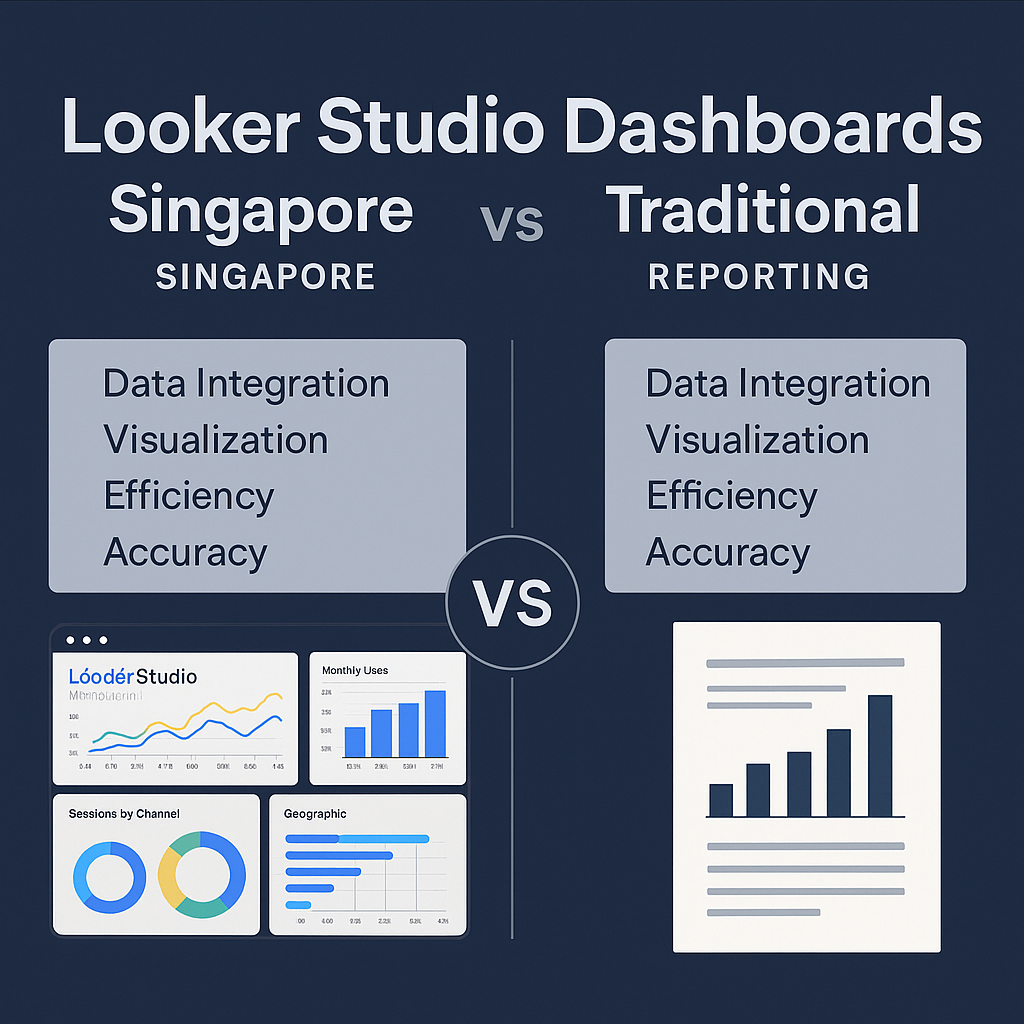
  • Looker Studio vs Traditional Reporting: What Singapore Marketers Need to Know

    Looker Studio vs Traditional Reporting: What Singapore Marketers Need to Know

    Introduction: Why Reporting Needs a Rethink in 2025

    As campaigns become more complex across SEO, Google Ads, Meta Ads and content marketing, Singapore marketers are struggling with fragmented data. Traditional reporting methods: spreadsheets, manual exports, static PDF reports — are increasingly slow and disconnected.

    This is why many teams are upgrading to Looker Studio dashboards Singapore, hoping to centralise data and automate insights. But is Looker Studio truly better than traditional reporting? This comparison breaks down the differences so marketers can decide which delivers faster, clearer, and more actionable results.

    Looker Studio vs Traditional Reporting: Key Differences

    1. Data Integration

    Looker Studio: Unified. Traditional Reporting: Fragmented.

    Traditional reporting relies heavily on manual CSV exports from Google Ads, GA4, Meta Ads, and CRM tools. This takes time and often leads to outdated insights.

    Looker Studio, however, connects all data sources into one real-time dashboard, a major advantage for marketers managing multiple channels. This integrates well with strategic measurement approaches often described in guides like the insights on Google Ads management for Singapore businesses.

    FeatureLooker StudioTraditional Reporting
    Data updatesReal-timeManual
    Multi-channel visibilityStrongWeak
    Error riskLowHigh

    2. Visualisation & Insights

    Looker Studio: Dynamic. Traditional: Static.

    Traditional reporting uses spreadsheets, static charts, and manually built visuals. These lack interactivity and context.

    Looker Studio dashboards allow drill-downs, filters, segments, and trend analysis. Marketers can explore performance by channel, device, campaign, or keyword in moments.

    This dynamic approach supports modern content-driven strategies such as those explained in the framework for website design that drives lead generation.

    Visual ExperienceLooker StudioTraditional Reporting
    Interactive filtersYesNo
    Custom visual themesYesLimited
    StorytellingStrongModerate

    3. Speed & Efficiency

    Looker Studio: Automated. Traditional: Time-Consuming.

    Traditional reports often require:

    • pulling data from multiple dashboards
    • building charts manually
    • copy-pasting into slides
    • checking formulas for errors

    Looker Studio automates 90% of these steps, enabling teams to focus on interpreting data rather than collecting it.

    This efficiency matches the modern SEO workflows seen in advanced analytics approaches such as Local SEO strategies for Singapore businesses.

    Efficiency MetricLooker StudioTraditional Reporting
    Setup timeLowHigh
    Ongoing updatesAutomaticManual
    Monthly reporting time10–20 mins2–6 hours

    4. Accuracy & Error Prevention

    Looker Studio: Reliable. Traditional: Prone to Mistakes.

    Human error increases significantly when reports rely on manual formulas and data entry.

    Looker Studio eliminates most of these risks because calculations pull directly from the source: GA4, Google Ads, Meta Ads, YouTube, and CRM data.

    FactorLooker StudioTraditional Reporting
    Formula riskNoneHigh
    Data mismatchLowCommon
    Version confusionNoneFrequent

    5. Who Each Method Is Best For

    Looker Studio Works Best For:

    ✔ Agencies managing multiple clients
    ✔ SMEs handling cross-channel reporting
    ✔ E-commerce brands tracking ROAS
    ✔ Teams who want automated dashboards

    Traditional Reporting Works Best For:

    ✔ Small operations with simple data
    ✔ Businesses without multi-channel campaigns
    ✔ Teams who prefer manual control

    Conclusion

    Looker Studio is not just a reporting upgrade, it is a transformation in how Singapore marketers view and act on campaign performance. For businesses aiming to scale, automate, and understand their data in real time, Looker Studio dashboards Singapore offer capabilities far beyond what traditional spreadsheets and PDF reporting can deliver.

    If you want help building a custom reporting system that integrates SEO, web analytics, and paid ads performance into a single dashboard,
    👉 Contact GOSG Consulting
    and streamline your entire analytics workflow.

  • Google Analytics 4: Is It Right for Your Singapore Business?

    Google Analytics 4: Is It Right for Your Singapore Business?

    Introduction: Why GA4 Matters for Singapore Businesses

    As businesses shift toward performance-driven marketing, many SMEs in Singapore are now evaluating whether Google Analytics 4 Singapore is the right platform for accurate reporting and long-term growth.

    GA4 is not just a redesign of Universal Analytics. It’s a powerful, privacy-first, event-based system built to track how users move across websites, apps, and devices.
    This review breaks down what GA4 offers, its advantages, limitations, and whether it fits your growth stage.

    What Is Google Analytics 4?

    GA4 is Google’s latest analytics standard, designed to capture complete customer journeys through events rather than simple pageviews.

    It is especially beneficial for Singapore businesses running multiple marketing channels: Meta Ads, SEO, TikTok, Google Ads, email, and more.

    Its purpose:

    • Better user journey mapping
    • Cross-device insights
    • Enhanced conversion tracking
    • More accurate attribution
    • Improved forecasting and machine-learning insights

    To understand how analytics enhances web performance, explore this deep dive on Website Performance Analytics.

    Key Features & Benefits of GA4

    1. Event-Based Tracking for High-Accuracy Insights

    GA4 captures micro-interactions like clicks, scrolls, video engagement, and checkout events.
    This is crucial for businesses fine-tuning their digital strategy. For more context on integrated strategies, see How Singapore SMEs Can Scale Cost-Effectively.

    2. Cross-Device & Multi-Platform Tracking

    Most Singapore consumers switch between mobile, desktop, and apps throughout the day.
    GA4 unifies all these touchpoints to show you what actually leads to conversions.

    3. Predictive Metrics & Forecasting

    GA4 uses machine learning to estimate:

    • Purchase probability
    • Revenue prediction
    • Churn likelihood

    This gives stronger retargeting and budgeting signals.

    4. Enhanced Attribution Models

    Instead of relying on last-click (which hides the value of many channels), GA4 assigns credit more accurately across all touchpoints.

    5. Advanced Reporting Through Explorations

    GA4’s “Explore” mode allows deeper segmentation, funnel reports, retention analysis, and custom dashboards.

    For more on campaign optimisation, review Brand Marketing Singapore Strategies.

    Pros & Cons of Google Analytics 4

    Pros

    ✔ Future-proof and privacy-compliant
    ✔ Tracks behaviour more accurately
    ✔ Better suited for multi-channel businesses
    ✔ Highly customisable
    ✔ Integrates naturally with Google Ads and Looker Studio

    Cons

    ✘ Learning curve is steep for non-technical users
    ✘ Requires proper event setup to produce meaningful insights
    ✘ Some reports feel limited until customised
    ✘ Businesses with outdated websites may need technical cleanup first

    Who GA4 Is Best For

    GA4 Is Ideal For:

    ✔ Singapore SMEs running paid ads, SEO, and social media
    ✔ E-commerce brands needing granular attribution
    ✔ Businesses with cross-device user behaviour
    ✔ Companies wanting custom dashboards and real-time insights

    Not Ideal For:

    ✘ Businesses without conversion goals or tracking
    ✘ Static brochure-style websites with minimal interaction
    ✘ Teams with no analytics or reporting workflow

    If you plan to expand into more advanced measurement, GA4 is the right long-term choice.

    Conclusion

    Google Analytics 4 is the best analytics solution for most Singapore businesses, especially those focused on growth, lead generation, and multi-channel marketing.

    It provides deeper insights, more accurate attribution, and better forecasting, all essential for scaling in today’s competitive digital landscape.

    If you want guidance on implementing GA4 properly or connecting it with SEO, web design, and paid campaigns,
    👉 Contact GOSG Consulting for data-driven growth support.

    FAQs

    1. Is GA4 compulsory in Singapore?
    Yes, Universal Analytics has been fully retired. GA4 is now the only Google analytics platform.

    2. How does GA4 help with marketing?
    It provides clearer customer journey insights, stronger attribution, and predictive data for smarter budgeting.

    3. Can GA4 work with SEO and paid ads?
    Absolutely. GA4 integrates with Google Ads and supports SEO insights via engagement metrics and behaviour tracking.

    4. How long does GA4 take to implement?
    Basic setup is fast. Full event tracking, ecommerce tracking, and dashboard integration may take a few days.

  • Speed Up Your Singapore Website: Complete Optimization Checklist

    Speed Up Your Singapore Website: Complete Optimization Checklist

    Introduction: Why Website Speed Optimisation Matters for Singapore Businesses

    Slow loading pages cost Singapore businesses real revenue. Visitors bounce, ad costs increase, and SEO rankings drop when your site takes too long to load. If you want to stay competitive, website speed optimisation Singapore is one of the highest impact improvements you can make.

    This complete checklist helps SMEs, e-commerce brands, and corporate teams optimise performance step by step so your website loads faster, ranks better, and converts more visitors.

    Website Speed Optimisation Checklist

    1. Test Your Core Web Vitals First

    Start by measuring your website’s current performance using tools like PageSpeed Insights or GTmetrix. Take note of LCP, CLS and FID scores.
    For deeper insights on how your design affects performance, review this resource on Website Design Singapore for Lead Generation.

    2. Compress All Images Without Losing Quality

    Large images are the number one cause of slow pages. Always use WebP and compress everything before uploading.
    Action items:
    • Resize hero banners
    • Compress product images
    • Use lazy loading for below the fold visuals

    3. Minimise Unnecessary Plugins and Scripts

    Every extra plugin adds weight to your website. Remove outdated features, duplicated functionality and unused tracking scripts to reduce load time.

    4. Optimise Hosting and Server Response Time

    Choose local or regional hosting for faster delivery across Singapore and Southeast Asia.
    Tip: A Singapore based CDN can dramatically reduce first load time.

    5. Enable Browser Caching

    Caching allows returning users to load your site almost instantly. Make sure static files like CSS and images are cached for at least 30 days.

    6. Minify CSS, HTML and JavaScript Files

    Minification removes unnecessary characters from code to reduce file size. This is a quick technical win for speed optimisation.

    7. Reduce Page Weight and Remove Bloat

    Common bloaters include:
    • Oversized image sliders
    • Autoplay videos
    • Heavy animation libraries
    Replace them with lightweight design alternatives.
    To see how streamlined content boosts conversions, explore Strategic SEO Content Writing.

    8. Implement a Global or Singapore Focused CDN

    A CDN improves response time for local and international visitors by serving content from the nearest server.

    9. Optimise Mobile Loading Experience

    Mobile visitors form the majority of traffic in Singapore. Ensure mobile layout does not rely on heavy banners or scripts.
    If you want more insights into ad driven traffic behaviour, read the guide on Meta Ads Singapore Trends.

    10. Use GA4 and Reporting Tools to Monitor Speed Over Time

    Regular monitoring helps you react early to performance drops.
    If you prefer automated dashboards, GOSG’s reporting service provides clear visibility into speed, SEO and campaign results.

    11. Improve Conversion Pages First

    Optimise pages that affect revenue before tackling the rest.
    Prioritise:
    • Home page
    • Product and service pages
    • Lead generation pages
    • Checkout or booking flows
    Pair this with a high converting layout using professional website design services.

    Conclusion

    Website speed optimisation in Singapore is not just a technical task. It is a revenue optimisation strategy that improves user experience, SEO rankings and paid campaign efficiency. By following this checklist, your website becomes faster, more reliable and significantly more effective at generating leads.

    Ready to accelerate your website performance and boost conversions
    👉 Contact GOSG Consulting

    FAQs

    1. Why is website speed important for Singapore businesses
    Fast websites rank higher on Google, reduce bounce rates and improve lead generation.

    2. What is the ideal loading speed for a website in Singapore
    Most businesses should aim for under three seconds, although faster is always better.

    3. How do I know if my site needs speed optimisation
    If your website takes more than three seconds to load or your Core Web Vitals are in the red, you need optimisation.

    4. Can website design affect page speed
    Yes. Heavy visuals, unnecessary scripts and large images from outdated designs slow websites significantly.

  • UI UX Design Singapore: Best Practices for Singapore Businesses

    UI UX Design Singapore: Best Practices for Singapore Businesses

    In today’s digital-first Singapore, your website’s UI UX design determines how long users stay, how much they engage, and whether they convert. Yet, many businesses still confuse UI (User Interface) and UX (User Experience), two disciplines that work together but focus on different aspects of design.

    This article breaks down the differences between UI and UX, explores how they impact conversion and branding, and shares actionable best practices for UI UX design Singapore businesses can follow to build high-performing digital platforms.

    1. Understanding UI vs UX

    AspectUI (User Interface)UX (User Experience)
    FocusVisual elements: colours, typography, layoutUser journey, flow, and interaction
    GoalMake the interface attractive and intuitiveMake the experience seamless and satisfying
    Primary ToolsFigma, Sketch, Adobe XDUser testing, wireframes, analytics
    OutputButtons, icons, page designsNavigation, usability, and conversion paths

    Both UI and UX are essential for success, a beautiful interface means nothing without a smooth, logical experience. Learn how design strategy enhances lead generation in this GOSG website design guide.

    2. The Role of UI UX in Singapore’s Business Landscape

    Singapore’s consumers expect more than visuals, they expect performance, clarity, and speed. Brands that combine UI and UX effectively often see:
    – Higher conversion rates
    – Longer session durations
    – Stronger trust and credibility

    For instance, financial and e-commerce brands that invest in user testing and mobile responsiveness outperform competitors that rely only on visual appeal.

    Explore how digital strategy drives efficiency in this GOSG performance case study.

    3. Best Practices for UI UX Design in Singapore

    a. Prioritise Mobile-First Design

    With Singapore’s smartphone penetration exceeding 140%, responsive design is non-negotiable. Test across devices, ensuring layouts and call-to-actions adapt perfectly. Learn about conversion-friendly designs in this GOSG web optimisation article.

    b. Keep Navigation Simple and Predictable

    Users shouldn’t think twice about how to find information. Limit navigation to 5–7 main items, and keep menus consistent across pages.

    c. Design for Accessibility

    Inclusive design is becoming essential. Use proper contrast ratios, readable fonts, and ensure your site works for all users, including those with visual or motor impairments.

    d. Conduct Continuous Testing

    A design is only as strong as the feedback behind it. Use A/B testing and heatmaps to see how users interact with your site and optimise accordingly. For insights into how testing improves engagement, check this GOSG integrated marketing case.

    4. UI UX and SEO: The Overlap

    UI UX ElementSEO Benefit
    Fast-loading pagesImproves Core Web Vitals
    Mobile-friendly designBoosts rankings on Google
    Clear navigationEnhances crawlability
    Quality visuals & CTAsImproves engagement signals

    For a deeper look at how analytics strengthens both SEO and UX, visit this GOSG data insights study.

    5. Common UI UX Mistakes to Avoid

    1. Overdesigning: Too many colours or animations distract users.
    2. Ignoring mobile users: A desktop-first design alienates your main audience.
    3. Neglecting loading speed: Every second delay reduces conversions.
    4. Skipping usability testing: Assumptions rarely match real behaviour.

    Avoid these pitfalls and ensure every design decision aligns with business goals and analytics data.

    Conclusion

    Strong UI UX design Singapore practices bridge aesthetics and functionality, delivering better engagement, brand trust, and conversions. When done right, your website becomes not just beautiful but strategically effective.

    Get in touch with GOSG Consulting today to design a high-performing, conversion-focused digital experience tailored for Singapore audiences.

    FAQs

    1. What’s the difference between UI and UX?
    UI focuses on how a website looks, while UX focuses on how it feels and functions.

    2. How does UI UX design affect SEO?
    Good UX improves engagement metrics, indirectly boosting your SEO performance.

    3. Should I hire a UI UX agency in Singapore?
    Yes, a specialised agency ensures your design aligns with user behaviour and business KPIs.

    4. How often should I redesign my website?
    Typically every 2–3 years, or whenever your analytics show declining engagement or conversions.

  • E-Commerce Website Design Singapore: Tips for Singapore Businesses

    E-Commerce Website Design Singapore: Tips for Singapore Businesses

    In Singapore’s booming online marketplace, a well-designed e-commerce website is your most powerful sales tool. Yet many SMEs still struggle with low conversions, slow checkout flows, and poor mobile performance.

    This article reveals expert tips for e-commerce website design Singapore, helping businesses turn their websites into 24/7 sales engines that drive revenue and customer loyalty.

    Tip 1: Prioritise Mobile-First Design

    Over 85% of Singaporeans shop on their phones, making mobile responsiveness the foundation of all e-commerce success. Your site should adapt seamlessly across screen sizes with thumb-friendly navigation, clear CTAs, and fast loading speeds.

    Learn how user-focused design influences conversions in this GOSG website design strategy guide.

    Pro Tip:
    Use sticky navigation bars and floating “Add to Cart” buttons to reduce friction during browsing.

    Tip 2: Simplify Checkout to Reduce Cart Abandonment

    A complicated checkout is one of the biggest conversion killers. Streamline the process with:
    – Guest checkout options
    – Auto-filled form fields
    – Transparent shipping and return policies
    – Multiple payment gateways (GrabPay, PayNow, credit cards)

    For an overview of performance-driven UX approaches, explore GOSG’s Web Design services.

    Pro Tip:
    Display trust badges and SSL certificates at the payment stage to increase customer confidence.

    Tip 3: Optimise Product Pages for SEO and Conversions

    Each product page should balance aesthetics with performance:
    – Use high-resolution images (compress for speed)
    – Write SEO-optimised titles and meta descriptions
    – Add structured data for Google Shopping visibility
    – Highlight limited stock or “best seller” labels

    To learn how SEO enhances visibility and sales, check out this GOSG SEO content writing article.

    Tip 4: Leverage Personalisation and Retargeting

    E-commerce success today depends on personalising user experiences. Use data-driven recommendations like “You May Also Like” or “Recently Viewed” to keep customers engaged.

    Integrate retargeting pixels to reach visitors who didn’t complete purchases. You can see effective multi-channel retargeting models in this GOSG digital campaign insights article.

    Tip 5: Focus on Speed and Performance Analytics

    Even a 1-second delay in page loading can reduce conversions by up to 20%. Regularly audit site speed with Google PageSpeed Insights or GTmetrix. Optimise image sizes, scripts, and hosting infrastructure for maximum efficiency.

    Discover how analytics transform performance in this GOSG analytics and reporting case study.

    Common Myths About E-Commerce Website Design

    MythReality
    More features mean better design.Overloaded sites confuse users. Simplicity converts better.
    Aesthetics matter more than speed.Both matter, but speed directly impacts conversions and SEO.
    You don’t need SEO for e-commerce.SEO drives organic sales and lowers ad costs.
    Mobile users don’t buy.Mobile shoppers now account for over 70% of transactions.

    Conclusion

    A great e-commerce website design Singapore doesn’t just look good, it converts. By focusing on mobile optimisation, SEO, speed, and personalised UX, your business can achieve long-term growth in Singapore’s competitive e-commerce market.

    Get in touch with GOSG Consulting today to design a high-converting e-commerce site built for performance and measurable ROI.

    FAQs

    1. What’s the most important factor for e-commerce success in Singapore?
    Mobile optimisation and fast checkout processes.

    2. How often should I update my website design?
    Every 2–3 years or when analytics show declining conversions.

    3. Is Shopify or WooCommerce better for SMEs?
    Both work, choose based on your budget and customisation needs.

    4. Does e-commerce SEO really make a difference?
    Yes, it’s critical for visibility and consistent organic sales growth.

  • Landing Page Design Singapore: Best Practices for Singapore Businesses

    Landing Page Design Singapore: Best Practices for Singapore Businesses

    Your website’s landing page is where first impressions are made, and in Singapore’s competitive online market, that impression must convert. Whether you’re running Google Ads or social campaigns, your landing page design Singapore determines whether visitors take action or bounce.

    This guide breaks down step-by-step how to create landing pages that attract, engage, and convert, blending design psychology with performance data.

    Step 1: Define a Clear Conversion Goal

    Every landing page should have one purpose, whether it’s collecting leads, selling a product, or scheduling a consultation. Avoid multiple CTAs that distract users from your primary objective.

    For instance, a strong “Book Now” or “Get Free Quote” button above the fold instantly guides visitors toward action.

    To see how user-focused design drives conversions, explore this GOSG web design case study.

    Step 2: Craft Compelling Headlines and Value Propositions

    Your headline is your hook. It must clearly answer: “What’s in it for me?”

    Singapore audiences respond best to concise, results-driven messaging. Use subheadings to reinforce benefits, not just features.
    For example:
    > “Grow your brand with an SEO-optimised website that converts visitors into leads.”

    For headline and content synergy tips, check out GOSG’s SEO strategy guide.

    Step 3: Design for Speed and Mobile Responsiveness

    With over 90% of Singapore’s web traffic coming from mobile devices, responsive landing page design is no longer optional. Slow-loading pages cost you conversions, research shows that every extra second of load time can reduce conversions by 20%.

    GOSG ensures high-performing landing pages through optimised code and clean UX structures. Learn more through our Website Design service.

    Pro Tip:
    Use Google PageSpeed Insights to test performance regularly and prioritise mobile-first layouts.

    Step 4: Use Visual Hierarchy to Guide the User Journey

    Design elements should naturally guide the eye toward your CTA. Leverage contrast, white space, and directional cues (like arrows or image gaze direction) to focus attention.

    Add social proof such as client logos or testimonials near the conversion area to build trust instantly.

    Discover how layout design enhances storytelling in this GOSG content marketing article.

    Step 5: A/B Test and Optimise with Analytics

    The most effective landing pages are continuously tested and refined. Use analytics tools like Google Optimize or Meta Business Suite Experiments to A/B test headlines, images, and CTA button placements.

    GOSG’s Reporting & Analytics service helps businesses in Singapore measure every landing page click, ensuring ROI is tracked with precision.

    Pro Tip:
    Even subtle changes, like CTA colour or button text, can raise conversion rates by 10–30%.

    Conclusion

    A high-performing landing page design Singapore isn’t about visuals alone, it’s about strategy. By combining strong messaging, mobile optimisation, and data-backed testing, you can turn your landing page into a consistent lead-generation tool.

    Get in touch with GOSG Consulting today to build landing pages designed to convert from day one.

    FAQs

    1. What is a landing page?
    A standalone web page designed to drive a single conversion action such as sign-ups or purchases.

    2. How many CTAs should a landing page have?
    Ideally one main CTA to maintain focus and clarity.

    3. Should I use videos on my landing page?
    Yes, short videos can boost engagement, but keep file sizes small for fast loading.

    4. What tools can help me design landing pages?
    Tools like Figma, Elementor, and Unbounce are commonly used for creating high-performing landing pages.

  • Website Design for SMEs Singapore: Tips for Singapore Businesses

    Website Design for SMEs Singapore: Tips for Singapore Businesses

    For many Singapore SMEs, a website isn’t just a digital brochure, it’s the foundation of lead generation and brand credibility. Yet, business owners often underestimate the strategy behind effective website design for SMEs in Singapore.

    From slow loading speeds to unclear navigation, these issues can quietly drain conversions. This expert guide by GOSG shares proven tips to help SMEs transform their websites into revenue-generating assets.

    Tip 1: Define a Clear Business Goal

    Your website should have one purpose: drive measurable results, whether that’s inquiries, sales, or bookings. Every element, from layout to copy, should funnel users toward that goal through clear calls-to-action (CTAs) and intuitive navigation.

    For example, GOSG’s Website Design service ensures design strategy aligns with conversion goals so every visitor journey supports tangible outcomes.

    Tip 2: Prioritise Mobile-First Design

    With over 90% of Singapore’s users browsing on mobile, responsiveness is non-negotiable. But mobile-first design goes beyond scaling, it’s about rethinking layout, font size, and CTAs for thumbs, not cursors.

    Read more about how mobile performance directly impacts lead generation in this article on building lead generation funnels through content marketing.

    Tip 3: Showcase Authentic Brand Personality

    Stock images and generic templates make your brand invisible. Use real team photos, behind-the-scenes visuals, and testimonials to create trust and relatability.

    Authenticity is what sets SMEs apart. Learn how Singapore brands use content to drive emotional engagement in this digital campaigns strategy guide.

    Tip 4: Integrate SEO and Fast Load Times

    A visually stunning website won’t perform if it’s not found. Your design must integrate on-page SEO fundamentals:
    – Keyword-optimised headings and meta tags
    – Lightweight, compressed images
    – Logical URL and navigation structure

    You can explore advanced SEO performance tips in this GOSG SEO strategy article to improve search visibility and site speed simultaneously.

    Tip 5: Leverage Analytics for Data-Driven Growth

    Website analytics reveal what’s working, and what’s not. Tools like GA4 and Looker Studio can show your highest-converting pages, drop-off points, and traffic sources.

    With GOSG’s Reporting service, SMEs can turn these insights into actionable strategies, making every page a measurable driver of ROI.

    Conclusion

    Great website design for SMEs in Singapore combines creativity with strategy. When design, SEO, and analytics align, your site doesn’t just look good, it sells.

    Get in touch with GOSG Consulting today to transform your SME website into a performance-driven digital engine that grows your business.

    FAQs

    1. Why is website design crucial for SMEs in Singapore?
    It determines how efficiently your brand attracts, engages, and converts online visitors into customers.

    2. How often should an SME update its website?
    Every 2–3 years for design refreshes, and quarterly for SEO or content updates.

    3. What is the average cost of SME website design in Singapore?
    Between SGD 2,000–8,000 depending on functionality, integrations, and content depth.

    4. Should I use a website template or a custom build?
    Templates work for startups, but custom designs provide stronger branding and scalability for established SMEs.

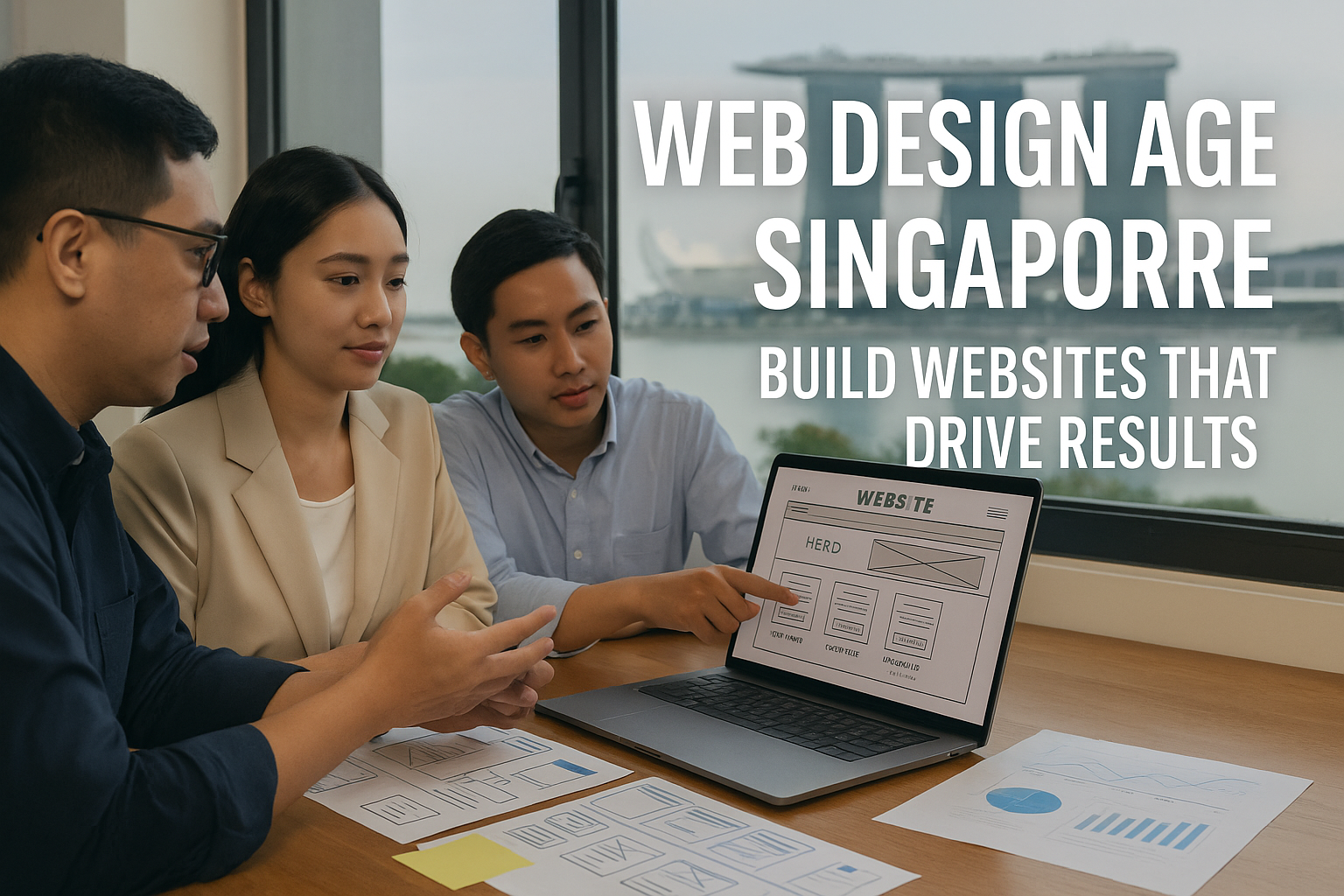
  • Web Design Agency Singapore: Best Practices for Singapore Businesses

    Web Design Agency Singapore: Best Practices for Singapore Businesses

    Many Singapore businesses launch a beautiful website, then wonder why enquiries stay flat. The real issue is not the visuals alone, it is the strategy behind them. Partnering with a results-driven web design agency in Singapore helps you build a site that attracts the right visitors and converts them into customers.

    Step 1: Set clear goals before you design

    Decide what success looks like: lead enquiries, e-commerce sales, bookings, or brand credibility. Your information architecture, content plan, and calls-to-action should all serve that outcome.

    Pro Tip: Pair your build with an SEO strategy so the site ranks for valuable terms and wins intent-driven traffic after launch.

    Step 2: Map user journeys and prioritise UX

    Great design follows user behaviour. Map the shortest path from landing to action, and remove friction.

    Checklist:
    – Pages load in under 3 seconds
    – Clear menus and logical page hierarchy
    – Prominent CTA above the fold
    – Short, mobile-friendly forms
    Example: If most visitors are on mobile, place WhatsApp and “Enquire” buttons in a sticky footer.

    Step 3: Design for conversions, not just looks

    Every section should earn its place. Use social proof, crisp headlines, and focused CTAs.

    Quick wins:
    – Trust badges, reviews, and client logos
    – Benefit-led hero copy with one primary action
    – Exit-intent pop-ups for lead magnets or promo codes

    Step 4: Instrument analytics and optimise continuously

    You cannot improve what you do not measure. Launch with GA4 and GSC, then track form submits, calls, WhatsApp clicks, and checkout steps.

    Pro Tip: Link paid campaigns to intent. Start with tightly themed search campaigns and measure landing-page ROI via Paid Ads. Build a reporting cadence so stakeholders see progress in one place with Reporting & Dashboards.

    Step 5: Keep it alive with updates and QA

    Websites are living assets. Refresh content, test new CTAs, improve speed, and fix UX snags quarterly.

    Maintenance checklist: uptime checks, plugin/security updates, image compression, broken-link scans, and CRO tests on high-traffic pages.

    Conclusion

    A high-performing site blends strategy, UX, conversion design, and disciplined measurement. Follow these steps and you will turn your website into a dependable growth channel for your Singapore business.

    Ready to level up? Start a conversation via our Contact page.

    FAQs

    1) How much does web design cost in Singapore?
    Most SME builds fall between $2,000 and $10,000, depending on scope, integrations, and whether the build is template-based or custom.

    2) How long does a typical project take?
    Business sites usually take 4 to 6 weeks. Complex e-commerce or multi-language sites can take longer based on revisions and integrations.

    3) Should SEO be included from day one?
    Yes. Technical and on-page SEO baked into the build helps you index quickly and rank earlier for priority keywords like “web design agency Singapore.”

    4) What makes a good agency partner?
    Clear process, measurable KPIs, transparent reporting, and proven results across industries such as professional services, retail, hospitality, and e-commerce.